Supported Plots
Model to Model Comparisons
Under development.
Please refer to the MELODIES MONET project board to learn more about current and future development plans.
Model to Observation Comparisons
Surface Evaluation
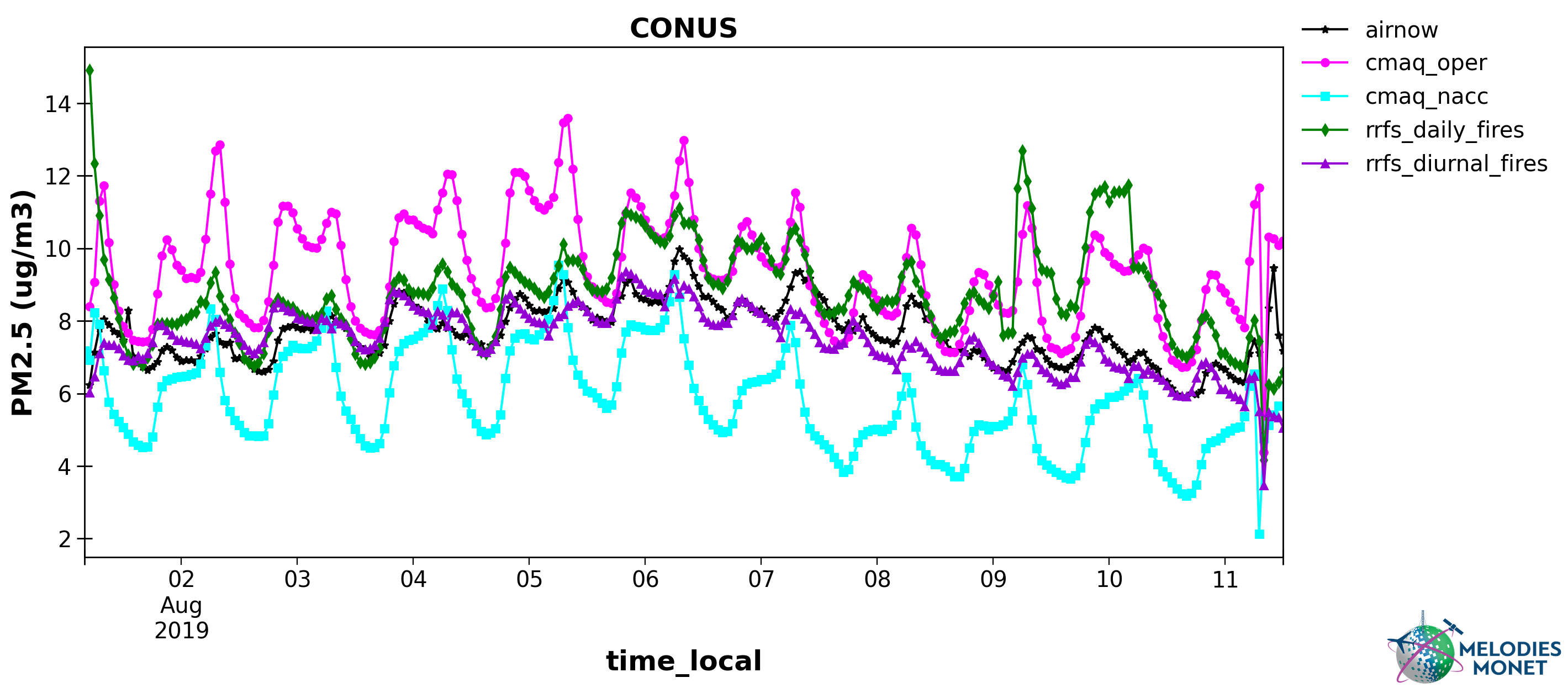
Timeseries - Plot comparing one or more model results with one observation (y-axis) versus time (x-axis) over the analysis window with options to specify the domain, time (local or UTC), and averaging window.
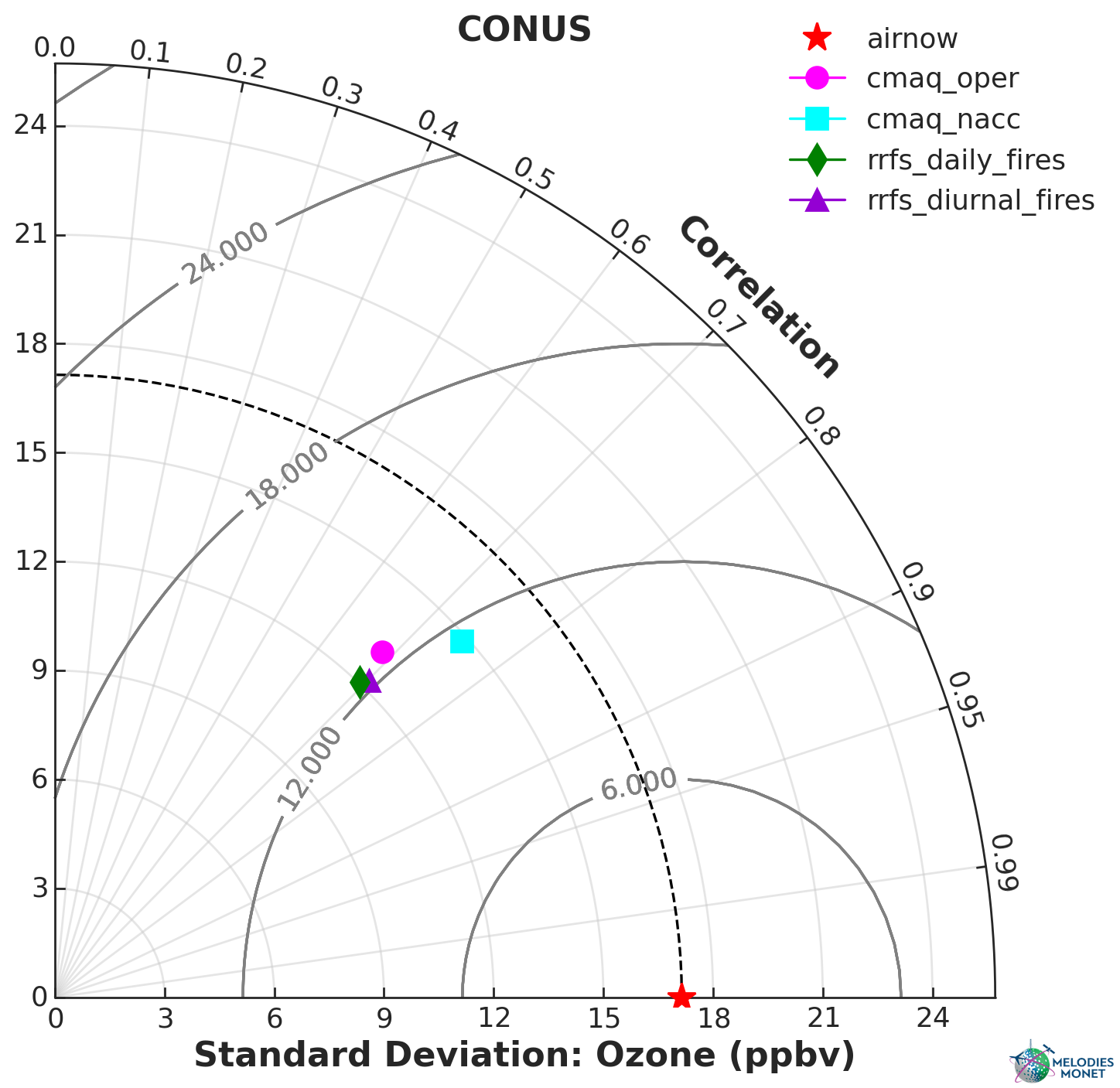
Taylor - Taylor plot comparing one or more model results with one observation over the analysis window with options to specify the domain.
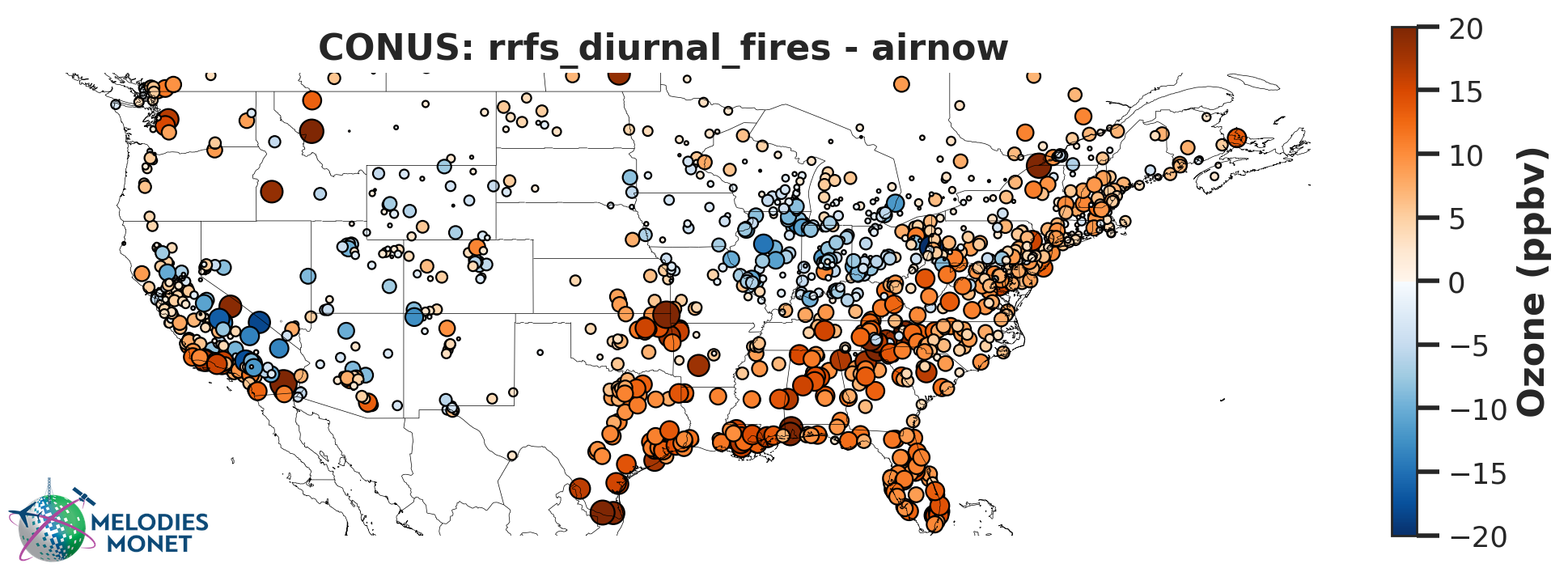
Spatial Bias - Difference plot of model - observations averaged over the analysis window with options to specify the domain. Defaults to average, but users can also optionally plot percentiles.
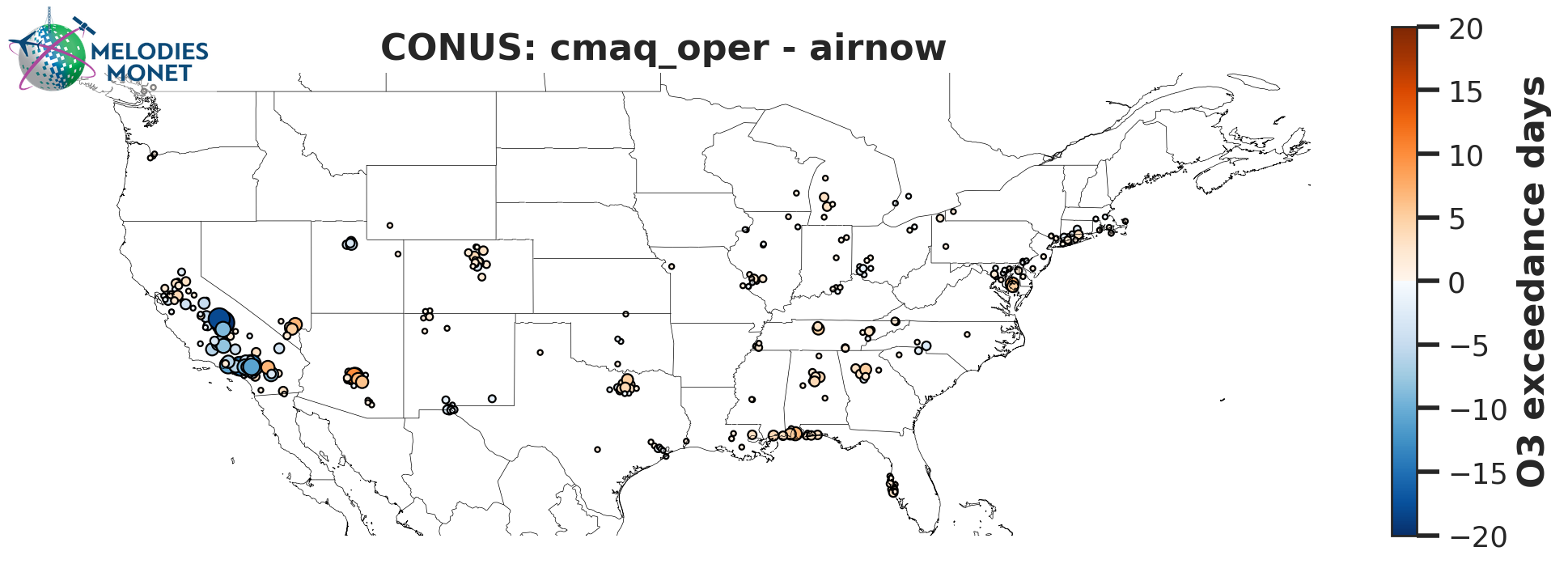
Spatial Bias Exceedance - Difference plot of model - observations for the number of
exceedances greater than the regulatory standard within the analysis window with options to specify
the domain. This only works for regulatory calculations (regulatory = True) for variables “OZONE” and “PM2.5” and units must be in ppbv or μg m-3, respectively, after the unit_scale option in the control file is applied.
An exceedance occurs when MDA8 ozone is greater than 70 ppbv or 24 hour averaged PM2.5 is
greater than 35 ug m-3.
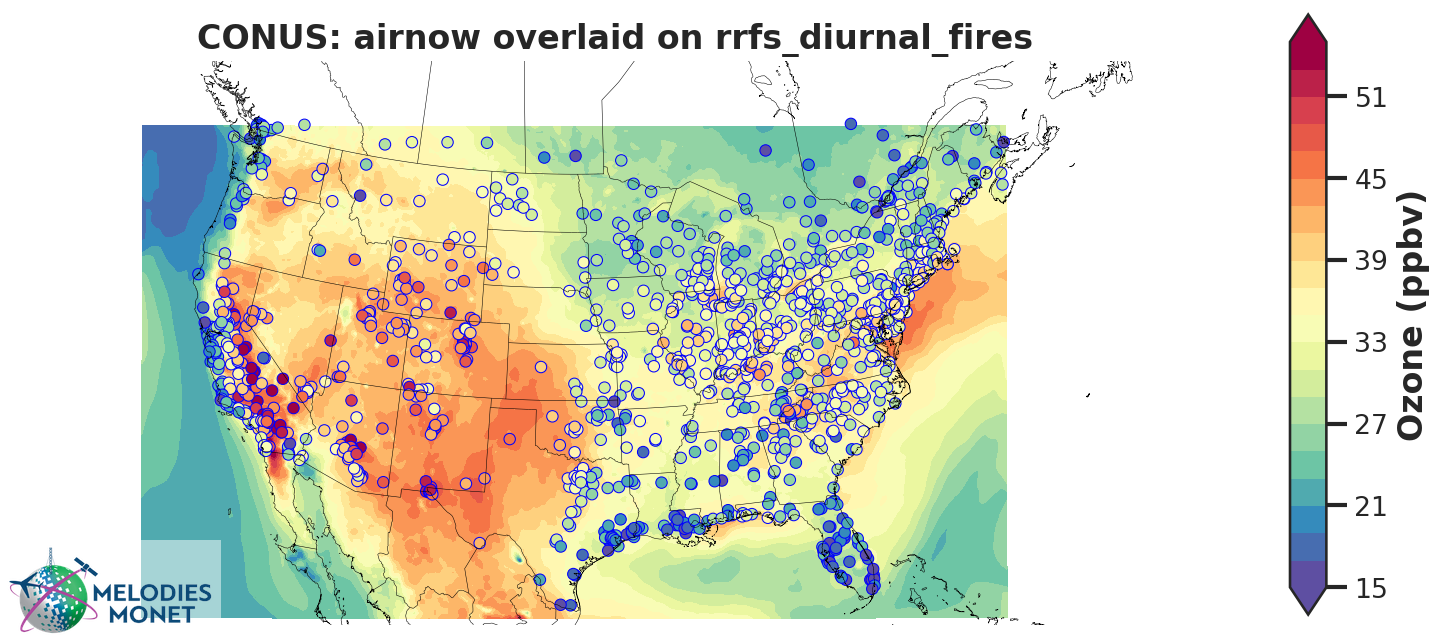
Spatial Overlay - Model results in contours with observational results overlaid in markers averaged over the analysis window with options to specify the domain.
Note
For “spatial_bias”, “spatial_overlay”, and “spatial_bias_exceedance” plots, if domain_type is ‘all’
and domain_name is ‘CONUS’ the following extent will be used for visual effect only:
[-130.0, -60.0, 25.0, 50.0]. This extent will not impact any calculations like spatial
averages or statistics.
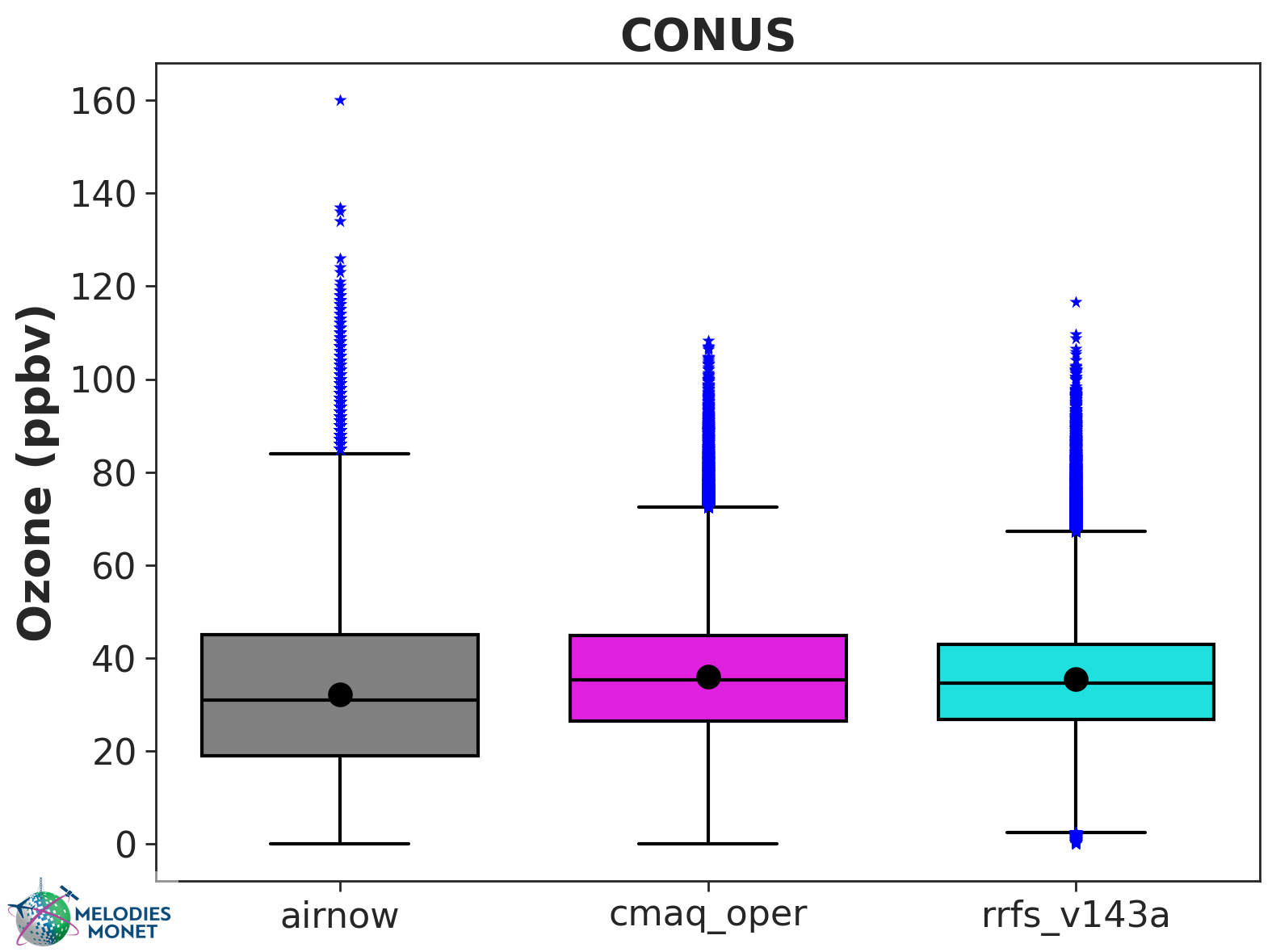
BOX-plot - BOX-plot comparing one or more model results with one observation over the analysis window with options to specify the domain.

Multi-BOX-plot - Like BOX-plot, but bin data into multiple EPA regions.
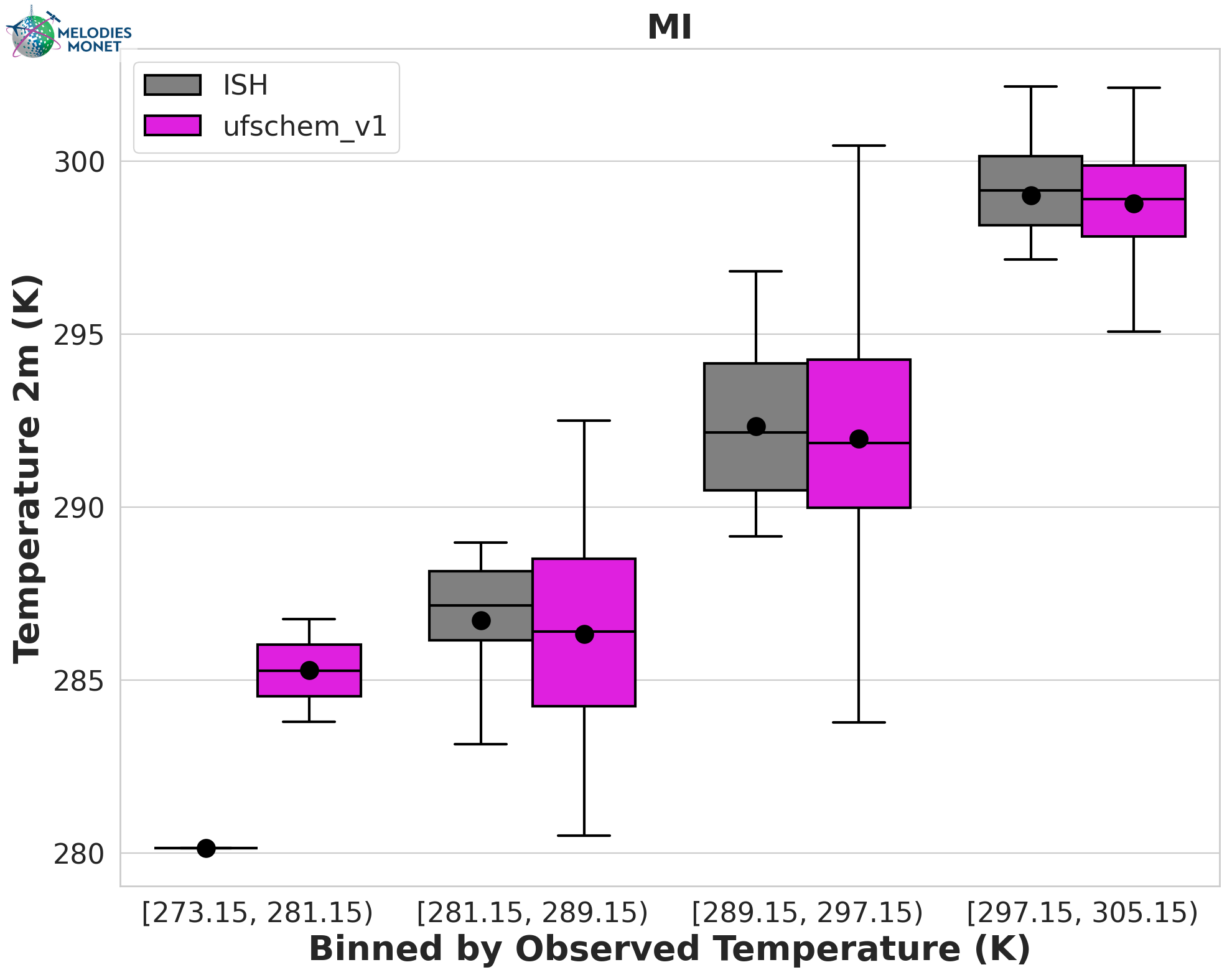
Multi-BOX-plot - Like BOX-plot, but bin data into intervals based on a provided variable like observed temperature.
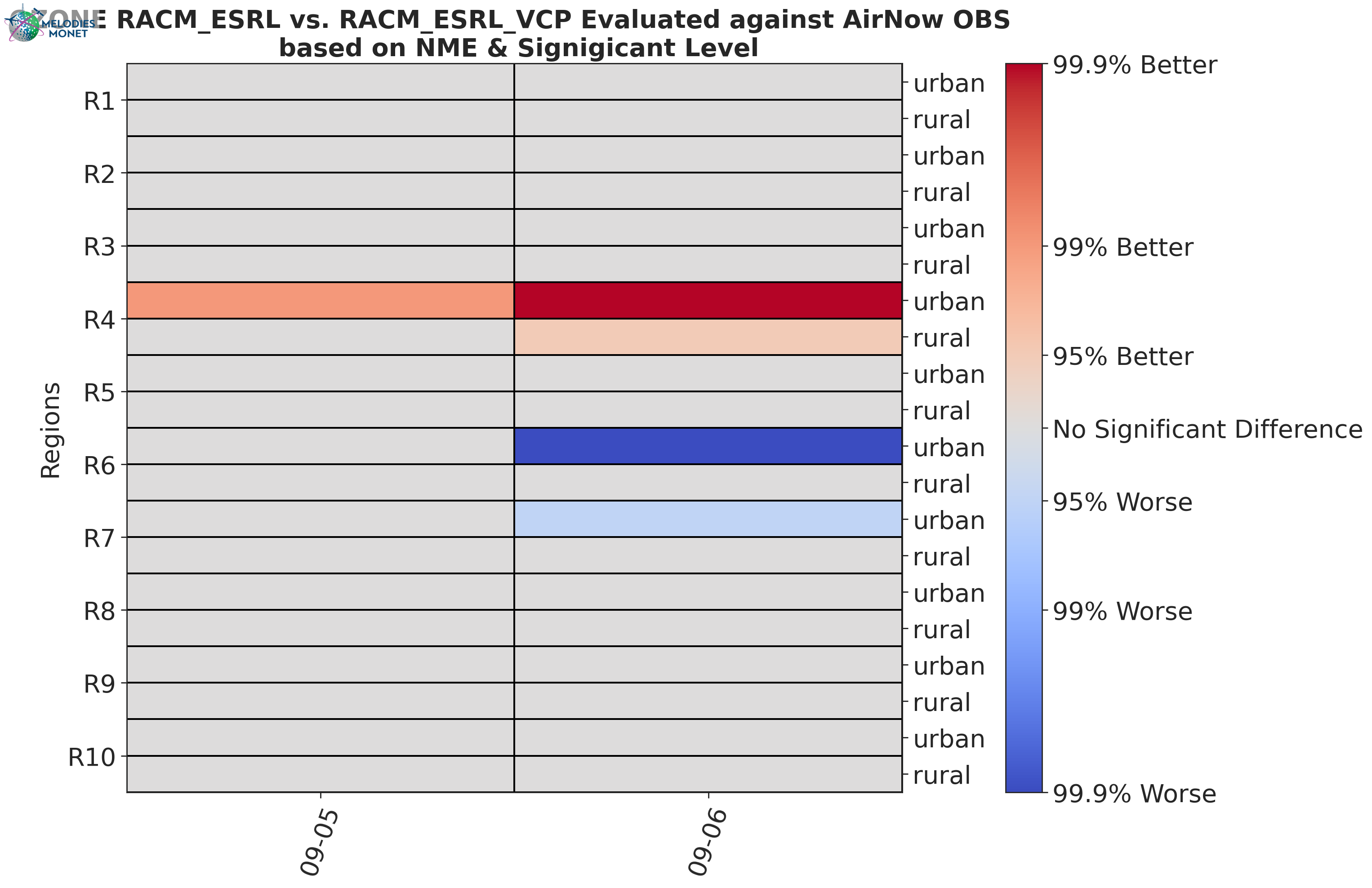
Scorecard - Compares two model outputs, evaluated against observations. The evaluation statistical parameters can be the Root Mean Square (RMSE), the Normalized Mean Bias (NMB) or the Index Of Agreement (IOA).
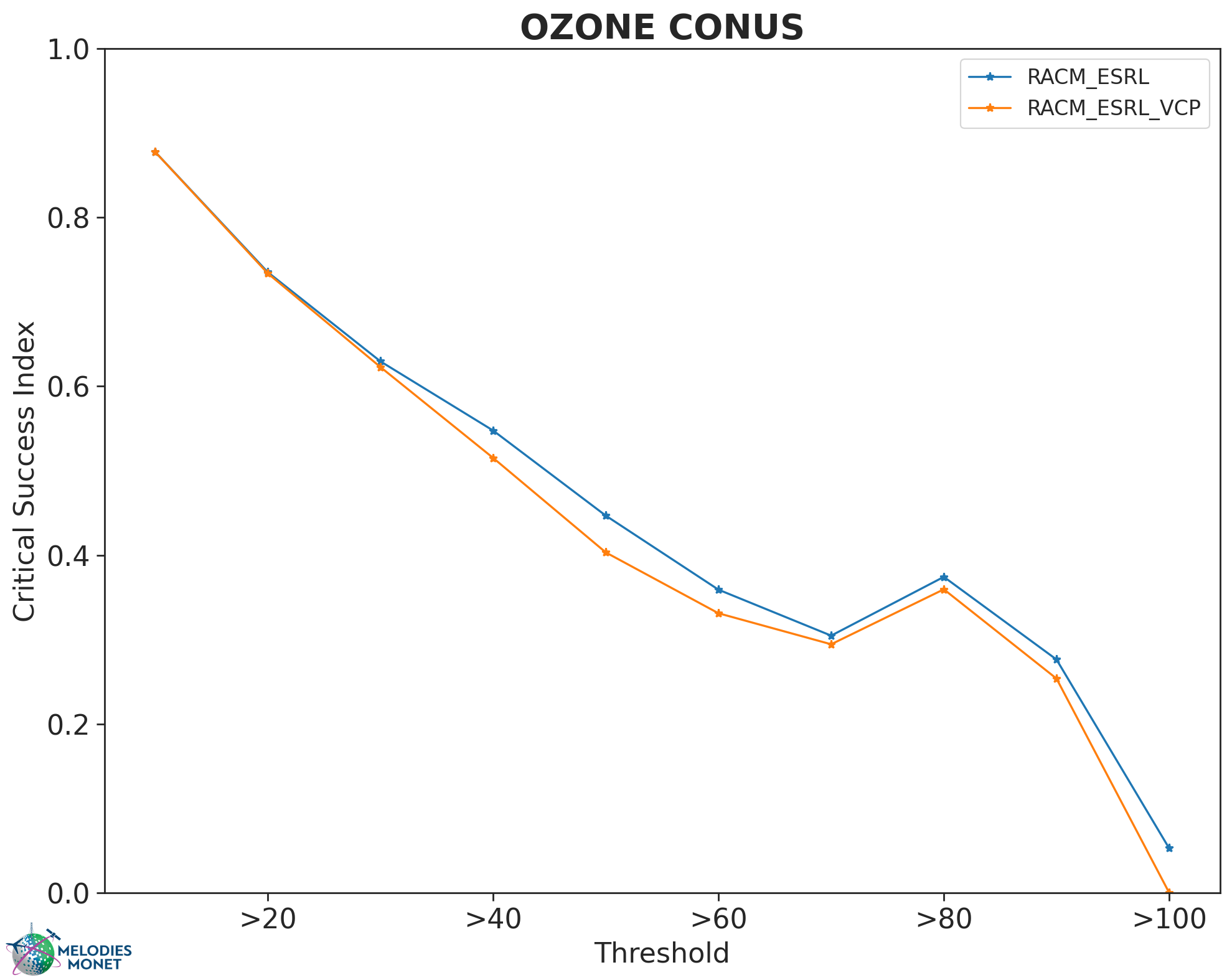
Critical Success Index Plot of the Critical Success Index, as commonly used in Forecast evaluation.
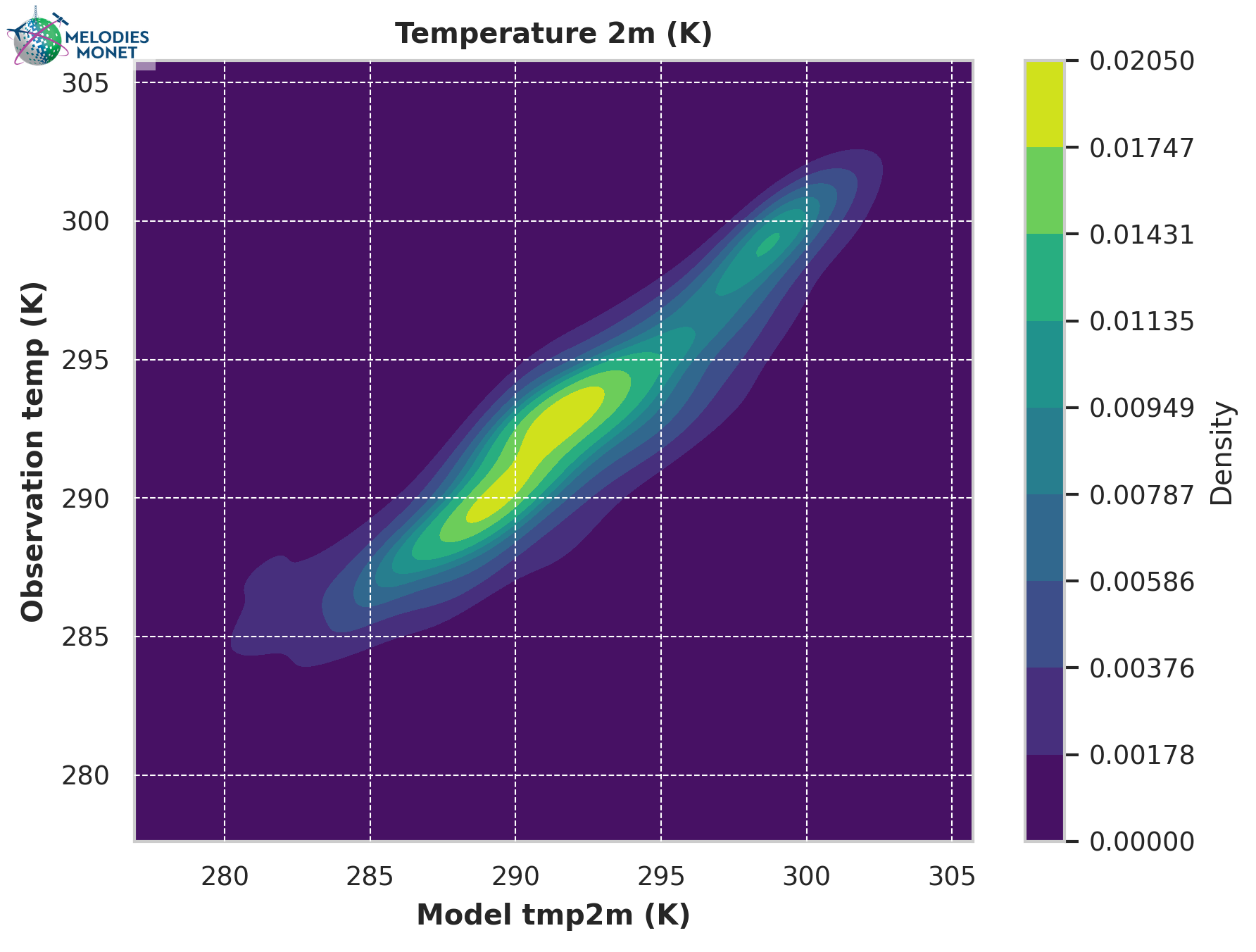
Scatter Density - Scatter density plot comparing one model results with one observation over the analysis window. This plot type has two options: a) scatter plot: model and observation values as scatter dots or markers, b) kernel density estimate (KDE) plot which visually represents the probability density of observation and model values as continuous variable (shown in the example figure above). Note: for multiple models being compared to one observation, each model-observation set would have a separate scatter plot.
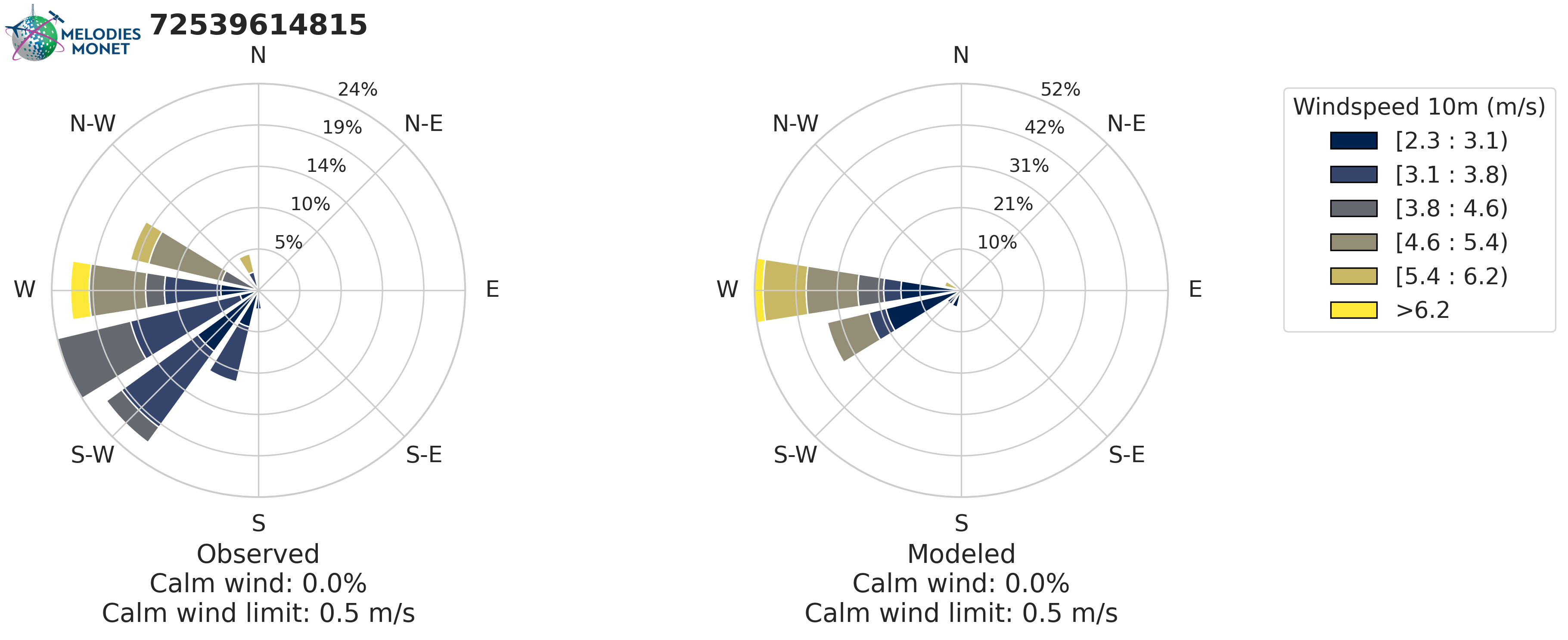
Rose plot - Wind rose if provide wind speed or polution rose if you provide another variable. In the wind rose plots, calm winds are plotted as an inner circle for wind direction and data is removed for pollution rose plots based on the threshold set in your yaml file.
Please refer to the MELODIES MONET project board under milestone “Surface and Aircraft Evaluation Version 2” to learn more about our current and future development plans.
Aircraft Evaluation
Timeseries, Taylor, BOX-plots, and Scatter Density plots described above in Surface Evaluation can also be created for aircraft evaluation. Aircraft specific plots are described below:
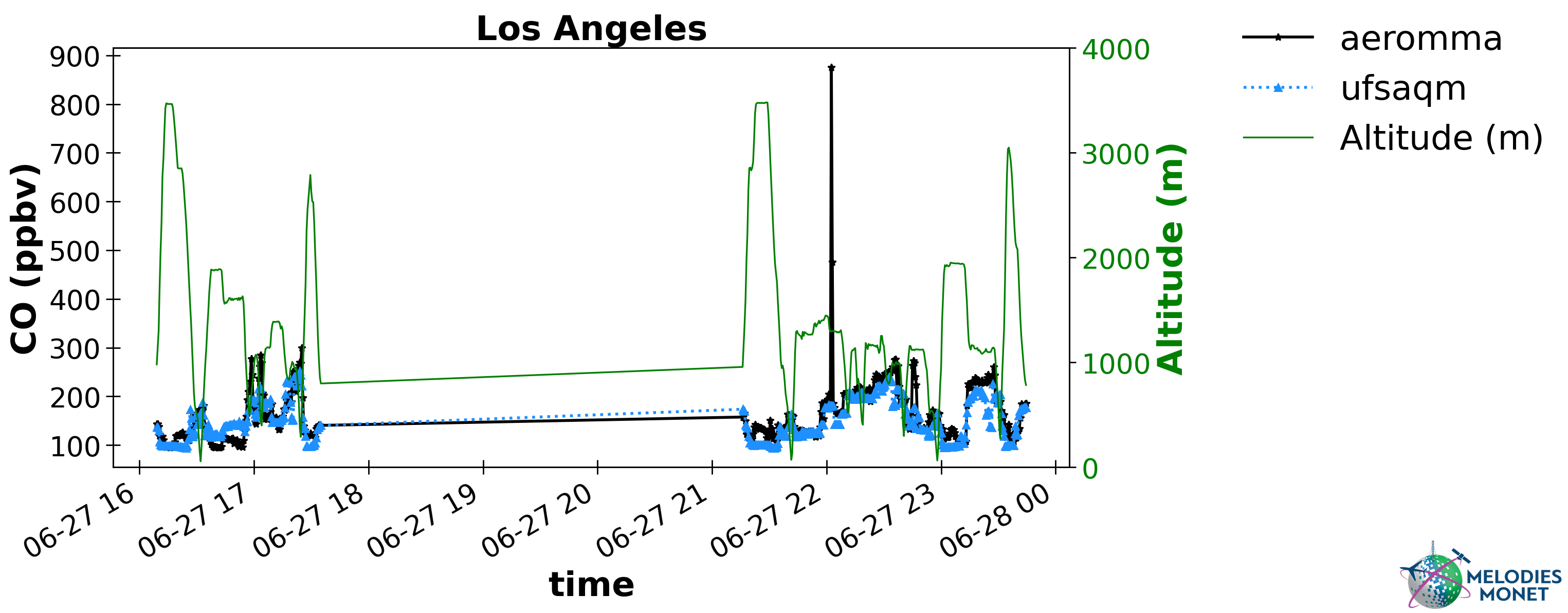
Timeseries with Altitude - Identical to the Timeseries plot described above for surface evaluation. For aircraft evaluation, users can optionally plot altitude on the secondary right y-axis.
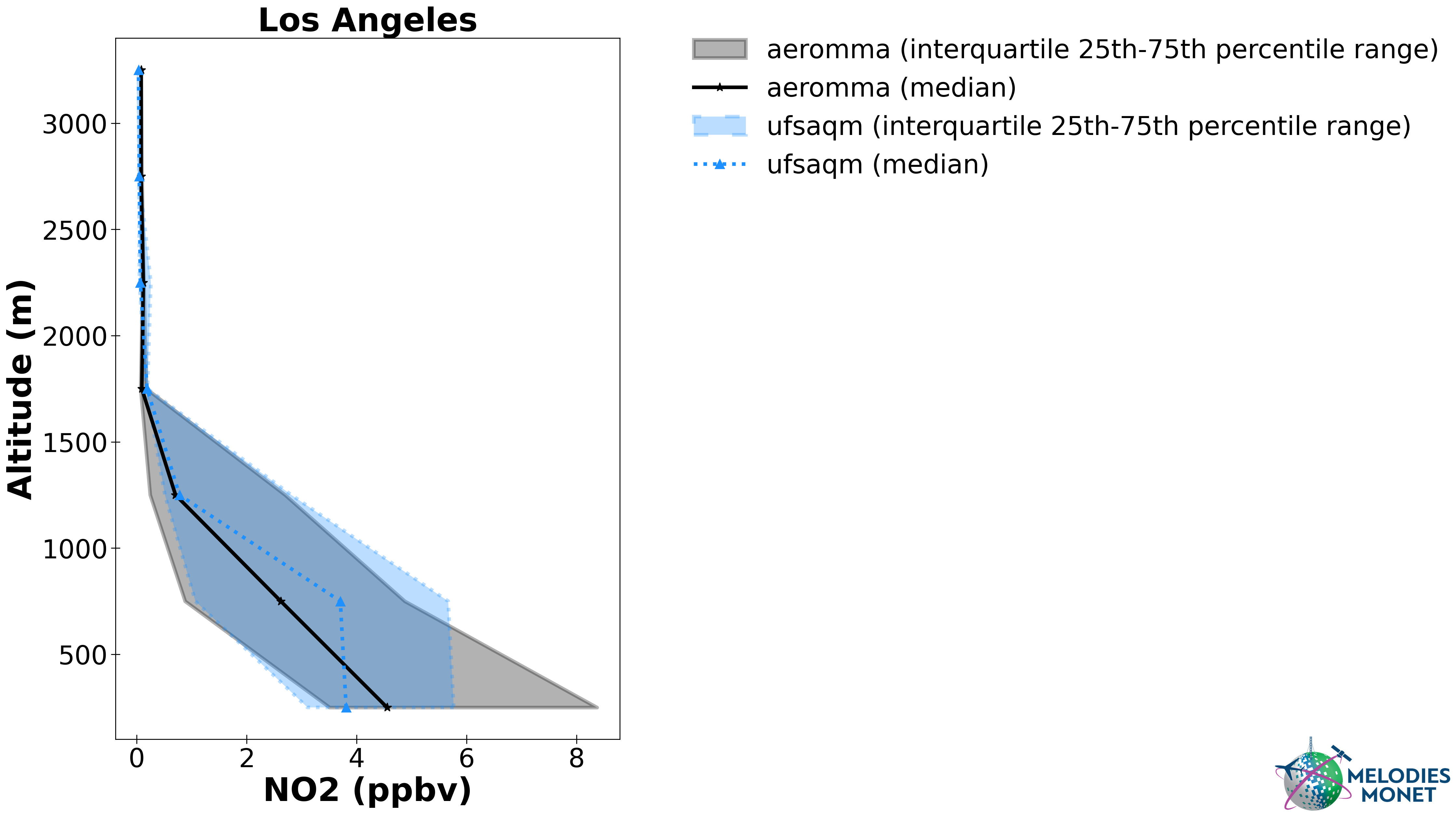
Vertical Profile - Plot comparing one or more model results with altitude (y-axis) versus one observation (x-axis) over the analysis window.
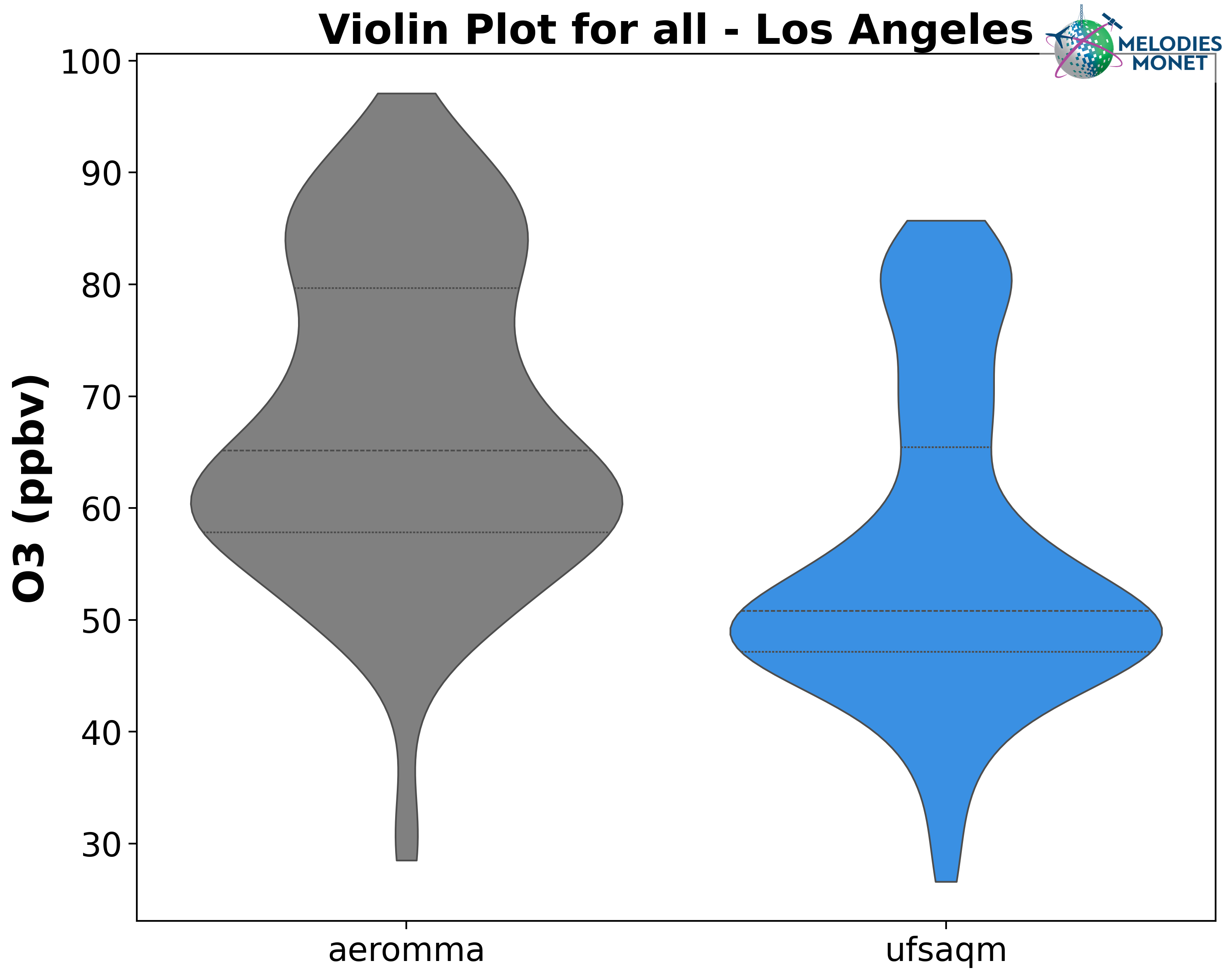
Violin - Violin plot comparing one or more model results with one observation over the analysis window.
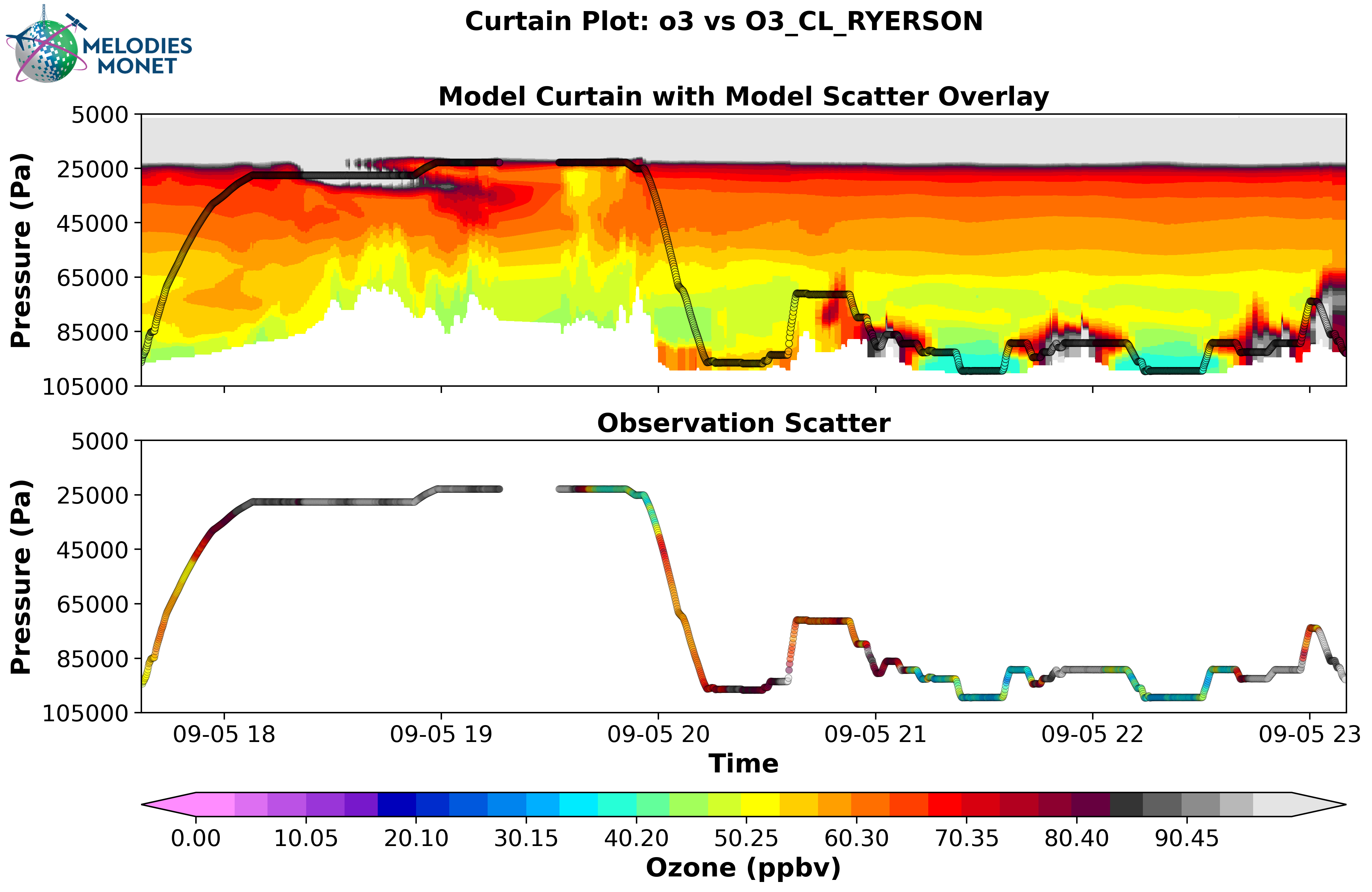
Curtain - Curtain plot comparing one model results with one observation over the analysis window. Note: for multiple models being compared to one observation, each model-observation set would have a separate curtain plot.
Please refer to the MELODIES MONET project board under milestone “Surface and Aircraft Evaluation Version 2” to learn more about our current and future development plans.
Satellite Evaluation
Under development.
Please refer to the MELODIES MONET project board under milestone “Satellite Evaluation Version 2” to learn more about our current and future development plans.